


How to Know If You Need Quartermaster Software
You need quartermaster software when three things are true: your agency manages both serialized assets and consumable supplies, you issue to a large number of people, and a lost or out-of-service item puts your agency or community at risk. If only one is true, spreadsheets may still work. If two are true, a ticketing and inventory combination can hold you over.
The tipping point usually shows up in a moment like this: an auditor asks who carried a specific patrol rifle last March, or an SCBA passes its service date unnoticed. The answer ends up spread across email threads, texts, and a spreadsheet tab someone overwrote. Answer the three questions below to see where your agency stands.
3 Yes-or-No Questions to Tell If It’s Time to Upgrade Your Quartermaster System
- Do you manage both serialized assets (weapons, radios, body armor, SCBA) and consumable supplies (ammunition, uniforms, medical supplies)?
- Do you issue a high volume of equipment and supplies, to a large number of people, or both?
- Would a missing rifle, an SCBA past its service date, or a gap in a controlled-substance record put your agency or community at risk?
Count your “yes” answers, then jump to your result below.
One “Yes”: Free Tools May Work for Now
If you issue a small number of items to a small team, email, a shared Excel or SharePoint file, or a Google Form feeding a Google Sheet can keep up. Email leaves a searchable record, and a spreadsheet’s search function can track down most items.
This setup depends on one diligent person. That person has to update the spreadsheet by hand every time a request comes in by email, text, phone call, or a sticky note on the supply room door. They also correct wrong-item requests and answer questions from people who can’t open the shared file.
Where It Breaks Down
As your inventory grows and the number of people requesting gear climbs, manual tracking starts to fail:
- Requests get lost and go unfulfilled.
- Items go missing or get stolen, and no one notices until the next count.
- Repairs stall because replacement parts aren’t in stock.
- Supervisors can’t see what their division is requesting or what it costs.
- One accidental deletion wipes out records with no way to recover them.
The cost shows up as hours spent searching, following up, and fixing errors. Too often, agencies change systems only after a significant loss.
Two “Yes” Answers: A Ticketing and Inventory Combination May Hold You Over
Pairing a ticketing system with separate inventory software fixes many of the problems with email and spreadsheets. Requesters log in and submit an order. A supervisor can approve it before it’s filled, and the requester gets automatic status updates instead of chasing the person filling the order.
When the order is filled, the person issuing the item closes the ticket. Then they record the issue in the inventory system: who received the item, their division, and their location.
Where It Breaks Down
Two systems mean every transaction is entered twice, and every double entry is a chance for missing or inaccurate data:
- Finding an item’s history means searching both systems and knowing what lives where.
- One staff member may log a request in the ticketing system while another updates the inventory record, so the two drift apart.
- Neither system connects the item to the person’s certification to carry or operate it.
For agencies with a lot of assets, consumables, and users, the space between those two systems is where equipment, time, and money get lost. To see how this plays out differently in each discipline, read “How Asset and Inventory Management Differs Between Fire and Law Enforcement”
Three “Yes” Answers: You Should Be Using Quartermaster Software
The more item types you manage, the more people you issue to, and the higher the stakes, the more quartermaster software pays off. General inventory and ticketing tools count stock. Quartermaster software also tracks custody: who holds each item, proof they received it, and whether they’re certified to carry or operate it.
Here’s what that looks like on the MCM platform.
Issue Everything in One Transaction
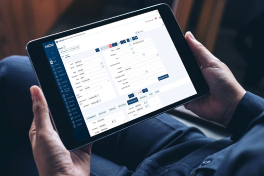
Users open a request cart on their computer, tablet, or phone and see only the items they’re permitted to request. They can request serialized assets and consumables together and submit one clean order, then get notified at every status change.
The quartermaster issues the order to an officer, firefighter, medic, vehicle, location, or division in a single transaction, with proof of receipt captured at issue. No duplicate entry in a second system.
See Any Item’s Full History in One Search
Take one patrol rifle: who carries it, when it last passed inspection, when the optic was replaced and what it cost, and whether the officer is current to carry it. On the MCM platform, that’s one search.
Each issue is also tied to the details you choose to track, such as division, shift, vehicle, and bundled equipment. That data shows which models need frequent replacement and which divisions use the most gear.
Get Alerts Before Gear Expires or Stock Runs Low
The platform flags low consumables, expiring certifications, overdue inspections, and gear nearing end-of-life. Automated workflows handle the next step: low stock creates the purchase request, and a failed inspection creates the work order.
Stay Ready for CALEA, NFPA, and DEA Audits
Submitted records can’t be changed by the user, and every action leaves an audit trail. The history you hand a CALEA assessor, NFPA reviewer, or DEA auditor is the history as it happened. Grant-funded equipment stays tied to the grant that paid for it.
Start With the Quartermaster Function, Add More Later
The quartermaster function is part of the MCM platform, alongside inspections, certifications, evidence, and fleet. Start with issuance and inventory. When you add another capability, it attaches to the items you already track, and their history stays with them. For a closer look at features, read “What Quartermaster Software Can Do and How to Find the Right One“
Frequently Asked Questions
When should an agency switch from spreadsheets to quartermaster software?
Switch when you manage serialized assets and consumables, issue to a large number of people, and face real risk if an item is lost or out of service. Other signs: requests go missing, audit prep is assembled by hand, or no one can pull an item’s full history quickly.
What’s the difference between quartermaster software and inventory software?
Inventory software counts stock. Quartermaster software also tracks custody: which officer, firefighter, or medic holds a serialized item, proof they received it, and whether they’re certified to carry or operate it.
Can quartermaster software replace a ticketing system for gear requests?
Yes. On the MCM platform, users request gear through a request cart, supervisors can approve requests, and requesters are notified at every status change. Requests and issuance live in one system, so nothing is entered twice.
Does quartermaster software work for fire and EMS?
Yes. Fire logistics officers track SCBA, turnout gear, and PPE against NFPA service intervals. EMS supply managers get alerts on stock levels and medication expiration dates, and document controlled substances with e-signature and secondary verification.
Does the MCM platform connect with our radio systems?
Yes. The MCM platform connects directly with Motorola Solutions, L3Harris, and EFJ/JVCKenwood radio systems. Programming and service history stay with each radio, ready for audits and replacement planning.
Do we have to buy the whole platform?
No. Start with the quartermaster function, or whatever is causing the most pain. Capabilities you add later attach to the items you already track, so there’s no second system or second implementation.
Find Out If the MCM Platform Fits Your Supply Room
If your issuance and tracking needs have outgrown spreadsheets or a two-system workaround, see how the MCM platform supports quartermasters in police, fire, and EMS agencies.
